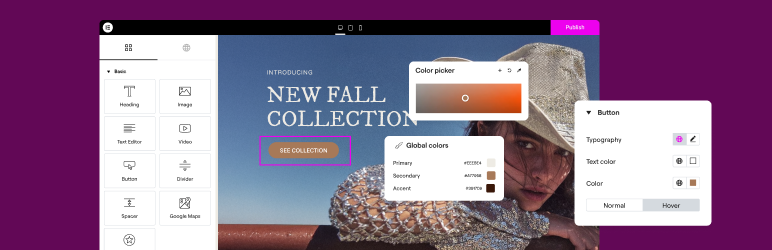

説明
THE #1 NO CODE DRAG & DROP WORDPRESS WEBSITE BUILDER POWERING 23M+ WEBSITES WORLDWIDE, NOW WITH AGENTIC AI.
主要な WordPress サイト作成プラットフォームである Elementor は、コード不要のドラッグ アンド ドロップ Atomic エディターを使用して、プロフェッショナルでピクセルパーフェクトなサイトをシームレスに構築できるようにします。
Supporting the full website lifecycle, Elementor lets you build, optimize, and manage your website with extended capabilities such as agentic AI creation, native MCP connection, image optimization, transactional email delivery, accessibility tools, performance boosters, and more.
Elementor is now in version 4, with a new generation of performance-first atomic building blocks that put you in control of every part of your site. Define your global design systems and reusable components once, and they apply everywhere instantly – turning hours or even days of work into single clicks.
NEW! Connect your favorite AI tools, including Claude, Codex, and Cursor, directly to your Elementor sites. The Elementor MCP acts as a new execution layer, turning plain-language prompts into real, fully editable Elementor structures, layouts, and design systems while keeping you in complete control.
Unlock all Pro features with Elementor Pro.
Elementor サイトに高速で安全なクラウドホスティングが必要ですか ? Google Cloud と Cloudflare を利用したElementor Host をお試しください。TrustPilot スコアは4.9/5です。
🌟 プロフェッショナルなサイト作成
- 直感的なドラッグ & ドロップビルダー: コード不要のドラッグ & ドロップエディターで、あらゆるサイトを構築できます。レイアウトとスタイルを完全にコントロールし、精密なデザインを実現します。
- ピクセルパーフェクトなデザインツール: SVG をアップロードし、マスク、グラデーション、ボックスシャドウ、見出し効果、シェイプディバイダーを適用し、組み込みの CSS コントロールを使用して高度なカスタマイズを行うことができます。
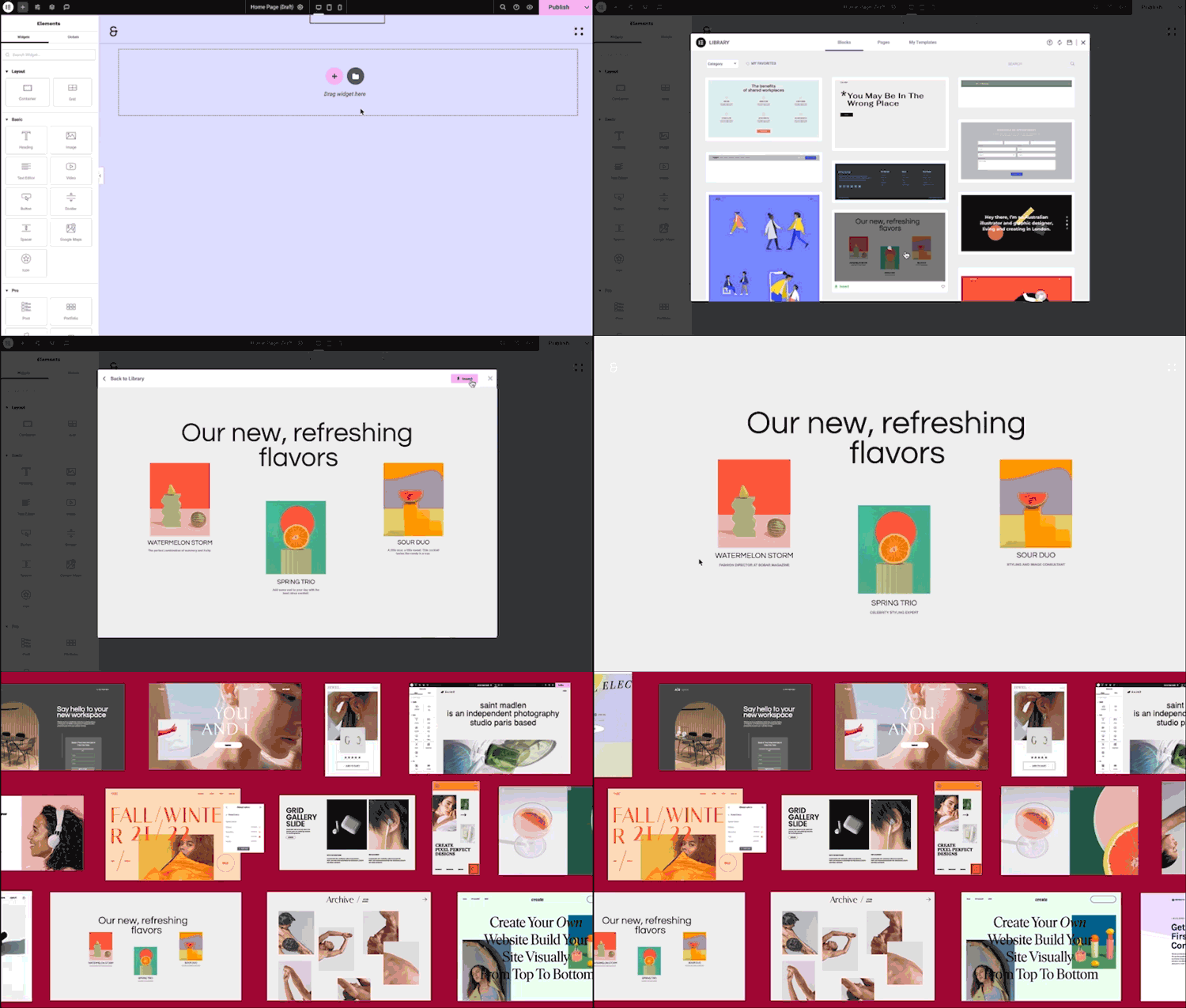
- Template Library:
完成されたサイトキットで手早く構築したり、豊富なライブラリから個別ページ、ブロック、ポップアップテンプレートを選択できます。 - Advanced Widgets: 見出し、画像、テキスト エディター、動画、ボタン、ギャラリー、カルーセルなど、40を超える無料ウィジェットにアクセスできます。
- Agentic AI for WordPress capabilities: Describe what you want in natural language and Elementor AI builds it: custom widgets, sections, full layouts, and WordPress snippets, delivered as production-ready, fully editable code native to your site.
🗝️ 主な特徴
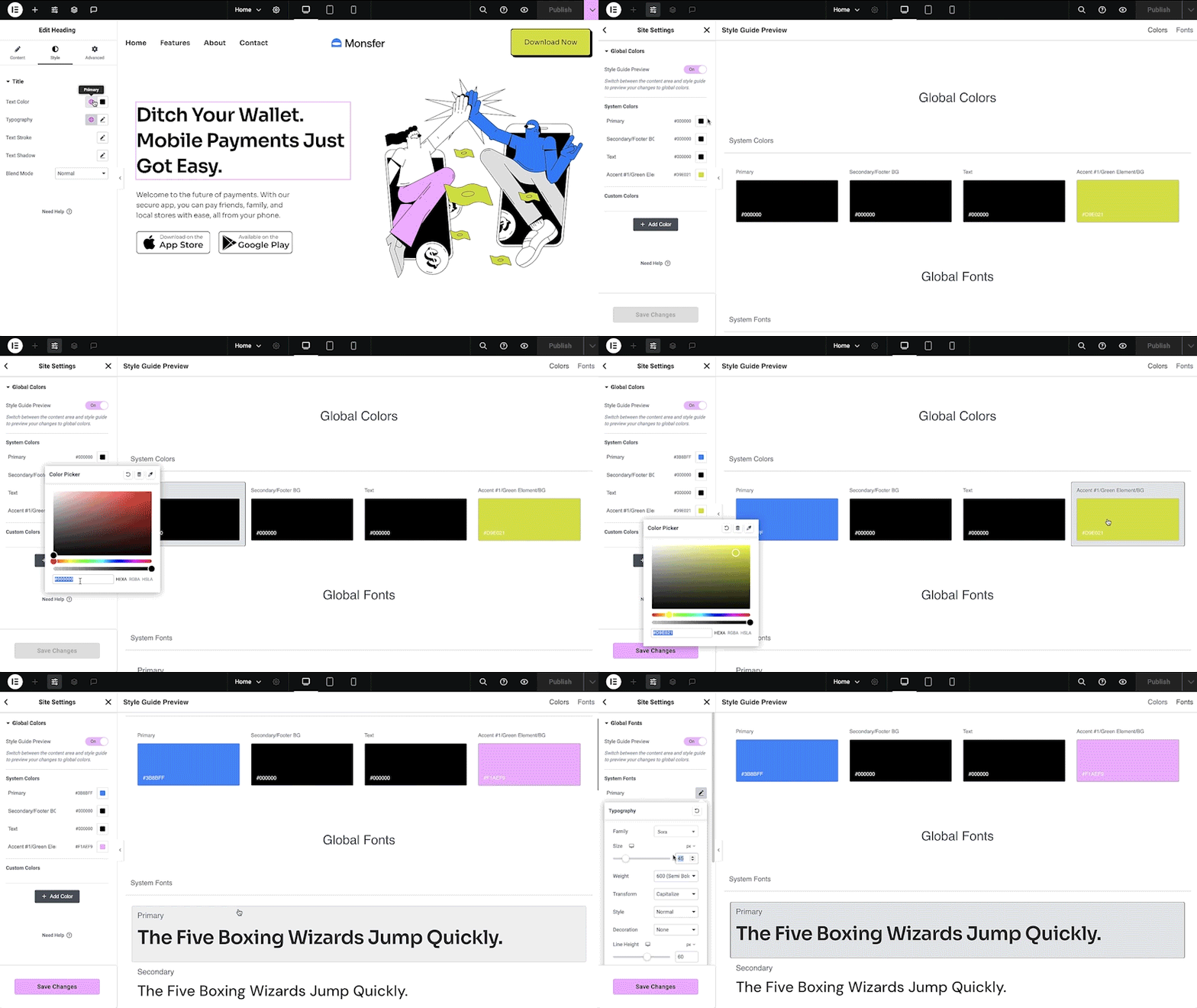
- Design system: Use Variables and Classes for consistent colors, typography, and design elements that update everywhere at once.
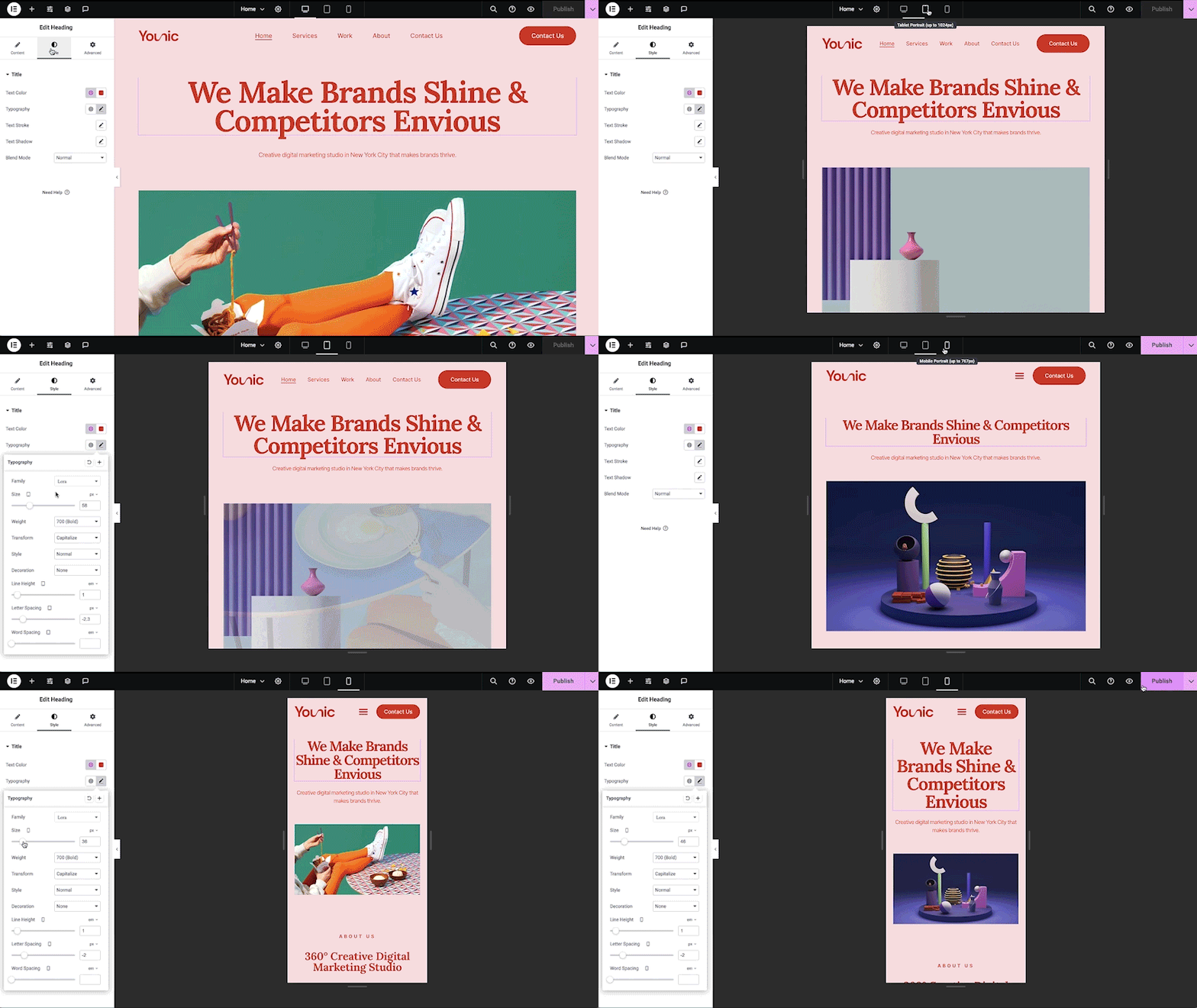
- レスポンシブデザイン: カスタムブレークポイントを使用してあらゆる端末に合わせてデザインを最適化し、デスクトップ、タブレット、モバイルでシームレスな体験を実現します。
- Elementor MCP: Seamlessly connect external AI tools such as Claude, Codex, Cursor and more, to build native Elementor pages, sections, and design systems instantly. Bring in context from other tools like Figma and review or refine every generation in the visual Elementor Editor before publishing.
- Mask shapes: Turn any element, like an image or video, into whatever shape you desire to create standout designs.
- CSS Transform: CSS Transform を使用して要素を回転、拡大縮小、傾斜させ、サイトに動的なスタイルを追加します。
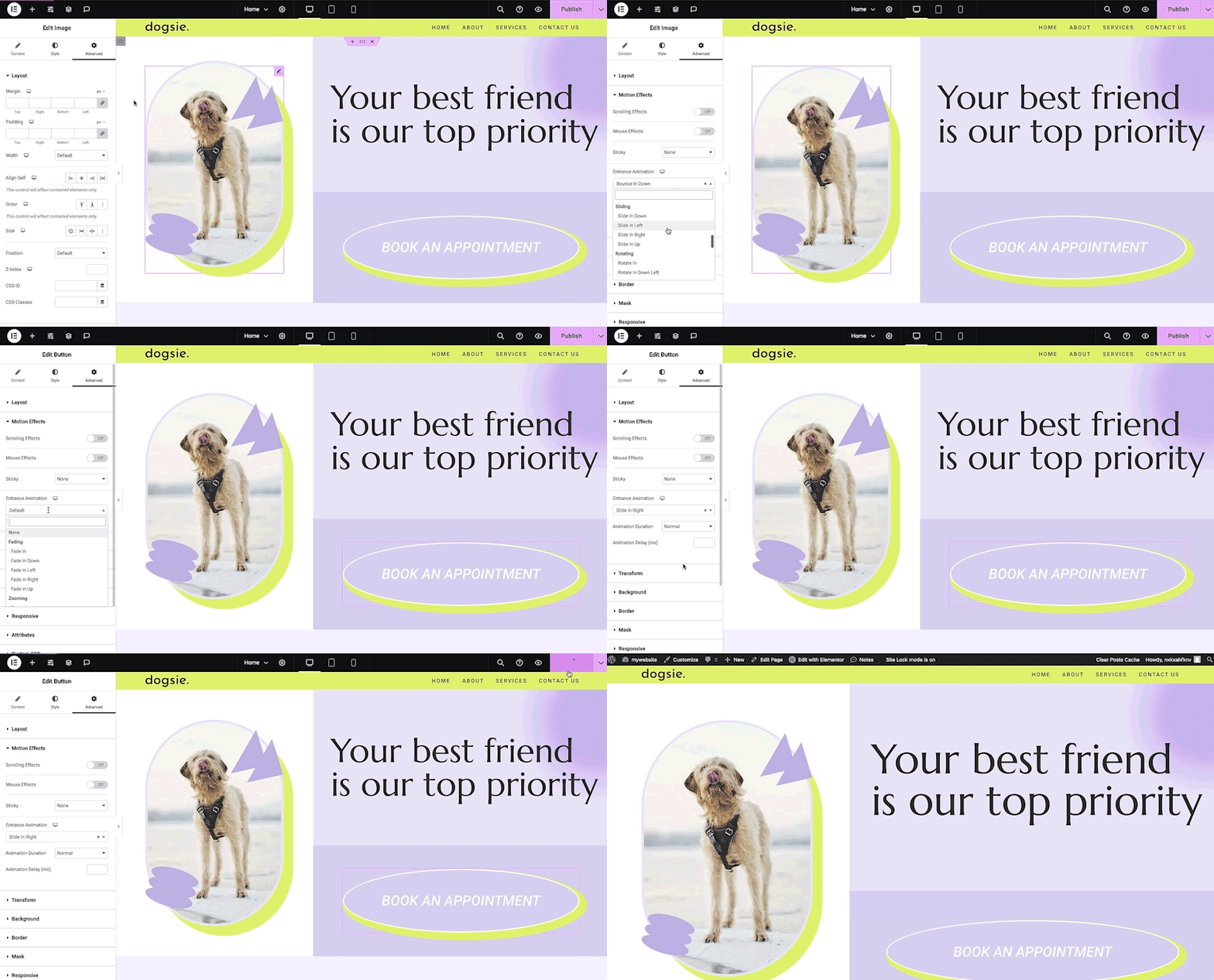
- エントランスアニメーション: 要素にエントランスアニメーションを追加して、魅力的でインタラクティブなユーザー体験を実現します。
- Revision history: Track and revert to previous versions of your designs at any point in the creative process.
- Developer-friendly: Extensive documentation, API, developer tools, and custom code areas, let developers extendElementor and build custom solutions.
- Floating buttons: Add customizable, floating action buttons that stay in view as users scroll.
- Components [Pro]: Reuse the same building blocks across pages and sites, and update them everywhere they appear, with controlled content editing, so collaborators and clients update only exposed content properties.
- テーマビルダー [Pro]: ヘッダー、フッター、投稿、アーカイブなど、サイトのあらゆる部分をデザインして、外観を完全にコントロールできます。
- Popup Builder [Pro]: Create popups with advanced targeting and triggering options to optimize user engagement and conversions.
- Forms [Pro]: Design and integrate custom forms with advanced features and integrations to capture lead submissions.
- WooCommerce Builder [Pro]: Design custom product pages, shop layouts, archives, carts, checkout and account pages for your store.
- Dynamic Content [Pro]: Connect your designs to data sources to build personalized, interactive web experiences.
- Notes [Pro]: Leave feedback and comments directly on the design interface for better team collaboration.
- カスタムコード [Pro]: カスタムコードを挿入してサイトの機能を拡張し、高度なカスタマイズを柔軟に行うことができます。
- Custom CSS [Pro]: Apply Custom CSS to fine-tune the styling of elements with precise control.
- モーションエフェクト [Pro]: 要素に高度なモーションエフェクトを追加して、よりダイナミックで魅力的なユーザー体験を実現します。
- Custom Fonts & Icons [Pro]: あなたのブランドアイデンティティに一致するようにカスタムフォントとアイコンをアップロードして使用することができます。
😍 Elementor 無料ウィジェット
Access a suite of free widgets and tools built to support your website creation process:
- 見出し: 目を引く見出し。
- 画像: サイズ、不透明度などをコントロールします。
- テキストエディター: WordPress テキストエディターと同じようなもの。
- 動画: YouTube、Vimeo、VideoPress、Dailymotion、または自分でホストした動画を追加します。
- ボタン: インタラクティブなボタンを作成します。
- プロフィールにリンク: プロフィールにリンクコンポーネントを構築して、ビジネスやサービスを宣伝しましょう。
- 画像ボックス: 画像、見出し、テキストを含むボックス。
- お客様の声: お客様の声です。
- アイコン: 600以上の利用可能なアイコンから選択しましょう。
- アイコンボックス: アイコン、見出し、テキストを1つのウィジェットで。
- ソーシャルアイコン: Facebook/X (旧Twitter) アイコンを使ってソーシャルページにリンクします。
- 画像ギャラリー: 画像をグリッドで表示します。
- 画像カルーセル: 選択した画像の回転するカルーセルまたはスライダーを作成します。
- アイコンリスト: 任意のアイコンを使用して箇条書きリストを作成します。
- カウンター: 数字を段階的に表示します。
- プログレスバー: 進捗状況が徐々に表示されるプログレスバーを表示します。
- 入れ子タブ: 縦または横のタブでコンテンツを表示します。
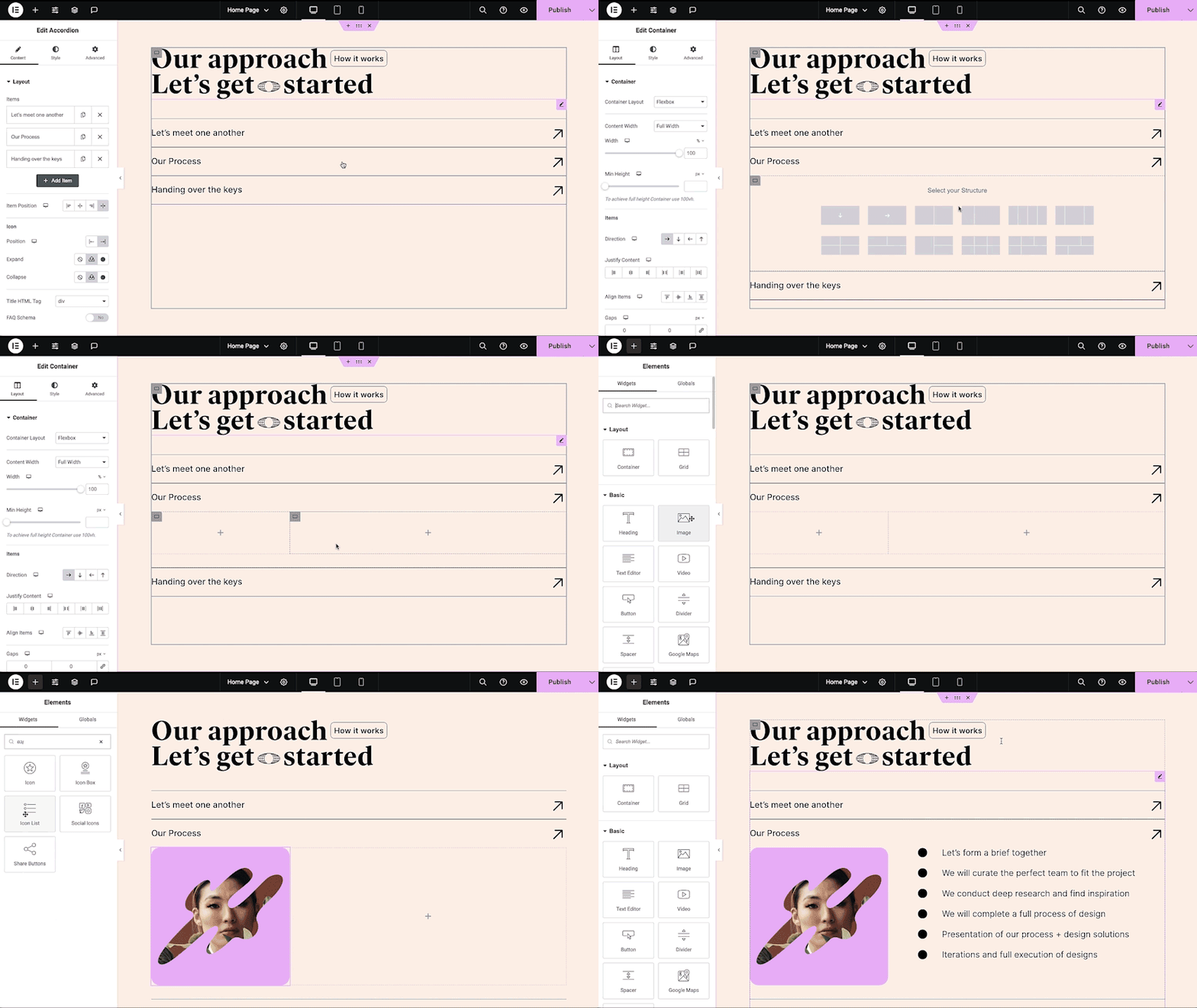
- 入れ子アコーディオン: 折りたたみ可能なセクションに任意のタイプのコンテンツを表示します。
- 評価: 他の訪問者がつけた星の数 (または別のアイコン) を表示します。
- アラート: 訪問者の注意を引くために、色付きのアラートボックスを追加します。
- HTML: ページにコードを挿入します。
- ショートコード: 任意のプラグインのショートコードをページに挿入します。
- メニューアンカー: 任意のメニューをこのアンカーにリンクします。
- 続きを読む: アーカイブ ページの抜粋の続きを読むカットオフを設定します。
- サイドバー: ページにサイドバーを追加します。
- Google マップ: 地図をページに埋め込みます。
- サウンドクラウド: SoundCloud オーディオビットを追加します。
- 区切り線: デザインされた区切り線でコンテンツを区切ります。
- スペーサー: 要素間にスペースを追加します。
- テキストパス: テキストをパスに接続します。
- And more.
🚀 サイトの強化
高性能なサイト: サイトのパフォーマンスは、訪問者の体験や検索結果の順位に影響を与えます。Elementor は Google Chromeと連携し、デザイン性を損なうことなく、継続的にパフォーマンスの向上を図っています。
主な機能は次のとおり:
- DOM 出力の削減: HTML 構造を合理化し、レンダリングを高速化します。
- メディアファイルの読み込みの改善: 画像、動画、その他のメディアアセットの読み込みが最適化されました。
- CSS と JS ファイルの削減: スタイルシートとスクリプトを最小化し、必要なときにのみ個別に読み込むことで、読み込み時間を短縮します。
- 遅延読み込み: 重要でないリソースの読み込みを遅延して、初期ページの読み込み速度を向上させます。
- フォント読み込みの高速化: テキストレンダリングの速度を向上させるために、Web フォントを効率的に配信します。
- 最適化されたフロントエンドのアセット読み込み: JavaScript や CSS などのアセットを効率的に読み込み、レンダーブロックを最小限に抑えます。
- エレメントのキャッシュ: 頻繁にアクセスされるデザインエレメントをキャッシュして、サーバーの応答時間を短縮し、全体的なパフォーマンスを向上させます。
🔥 Elementor Editor Pro の機能
Create unparalleled websites while saving time, money and resources with Elementor Pro’s full website builder. Get access to 100+ professional widgets, features, and tools.
Editor Pro design widgets:
- 投稿: カスタマイズ可能なレイアウトとスタイルでブログの投稿を表示します。
- 共有ボタン: 訪問者がさまざまなソーシャルメディアプラットフォームでコンテンツを共有できるようにします。
- ポートフォリオ: ポートフォリオレイアウトで作品やプロジェクトを紹介します。
- スライド: カスタムアニメーションとトランジションを使用してスライドショーを作成します。
- フォーム: ユーザー操作とデータ収集のための高度なフォームを設計およびカスタマイズします。
- ログイン: ログインフォームまたはユーザー登録モジュールをサイトに追加します。
- WordPress Menu: Customize and style your website’s navigation menu.
- アニメーション化された見出し: アニメーション効果を使用して注目を集める見出しを作成します。
- Price Table: Display pricing plans or packages in a structured format.
- 価格リスト: カスタマイズ可能なスタイルを使用して、価格またはサービスのリストを表示します。
- ギャラリー: レイアウトオプションとライトボックスのサポートを使用して、画像ギャラリーを作成します。
- フリップボックス: コンテンツや機能を強調するために、フリップアニメーションを追加します。
- Call to Action: 専用セクションを設けることで、ユーザーのインタラクションとコンバージョンを促進します。
- メディアカルーセル: 画像や動画などのメディアファイルのカルーセルを表示します。
- お客様の声カルーセル: 社会的証明として、カルーセル形式でお客様の声を表示します。
- ネストされたカルーセル: より複雑なコンテンツを整理するために、ネストされたカルーセルを作成します。
- ループカルーセル: コンテンツをループカルーセルで表示し、連続して視聴できるようにします。
- Table of Contents: Generate a table of contents for longer articles or guides.
- カウントダウン: カウントダウンタイマーを追加して、プロモーションやイベントの緊急性を演出します。
- Facebook ページ: Facebook ページのフィードやコンテンツをサイトに埋め込みます。
- Blockquote: スタイリッシュな書式設定オプションを使用して、引用や推薦文を強調表示します。
- テンプレート: 一貫したブランディングとレイアウトのために、デザインテンプレートを保存して再利用できます。
- レビュー: 信頼と信用を構築するために、カスタマーレビューと評価を表示します。
- Facebook ボタン: Facebook ページまたはコンテンツとのやり取りを促進するためのボタンを追加します。
- Facebook の埋め込み: Facebook の投稿やコンテンツをサイトに埋め込みます。
- Facebook コメント: サイトのページや投稿で Facebook コメントを有効化します。
- PayPal ボタン: PayPal ボタンを統合して、オンライン決済ができます。
- Stripe ボタン: 安全なオンライン取引のために、Stripe の決済ボタンを統合しましょう。
- Lottie Widget: Lottie のアニメーションを追加して、視覚的な魅力とエンゲージメントを高めましょう。
- コードのハイライト: 読みやすさを向上させるために、構文を強調表示してコードスニペットを表示します。
- 動画プレイリスト: サイト上の動画コンテンツのプレイリストを作成し、カスタマイズできます。
- メガメニュー: より良いナビゲーションと複雑なコンテンツを表示するための高度なメニューをカスタマイズします。
- オフキャンバス: メインレイアウトを乱すことなく、スライドして余分な情報やメニューを表示するオフキャンバスエリアを作成します。
Editor Pro theme widgets:
ヘッダー、フッター、404ページ、グローバルアーカイブなど、サイトの主要部分をすべて構築およびカスタマイズできます
- 投稿タイトル: 個々のブログ記事やページのタイトルをカスタマイズします。
- 投稿の抜粋: ブログ投稿の簡単な概要またはティーザーを表示します。
- 投稿コンテンツ: ブログの投稿またはページのメインコンテンツ領域をカスタマイズします。
- アイキャッチ画像: ブログ記事やページのアイキャッチ画像を設定、カスタマイズできます。
- 投稿者ボックス: ブログ記事に投稿者情報と経歴を表示します。
- コメント投稿: サイトのコメント欄の外観と機能をカスタマイズします。
- 投稿ナビゲーション: 閲覧しやすいように、隣接する記事にナビゲーションリンクを追加します。
- 投稿情報: 投稿者や日付など、ブログ投稿に関する追加情報を表示します。
- サイトロゴ: ブランディングのためにサイトのロゴをアップロードし、カスタマイズします。
- サイトタイトル: サイトのタイトルをカスタマイズします。
- ページタイトル: 個々のページのタイトルをカスタマイズします。
- 検索バー: 検索バーを追加して、ユーザーがサイトのコンテンツを検索できるようにします。
- パンくずリスト: 階層化されたナビゲーションパスを表示して、ユーザーのナビゲーションを向上させます。
- サイトマップ: 検索エンジンのインデックス作成とユーザーナビゲーションを向上させるためにサイトマップを生成します。
- ループグリッド: ブログ記事のアーカイブや製品リスト用のグリッドレイアウトをデザインしてカスタマイズできます。
Editor Pro WooCommerce widgets:
サイト全体で完全なオンラインショッピング体験をデザインし、カスタマイズできます。
- 製品: カスタマイズ可能なレイアウトとスタイルで個々の製品を表示します。
- パンくずリスト: 階層化されたナビゲーションパスを表示して、ストア内でのユーザーのナビゲーションを向上させます。
- 製品タイトル: 個々の製品のタイトルをカスタマイズします。
- 商品画像: 商品一覧の画像を設定、カスタマイズできます。
- 製品価格: 個々の製品の価格を表示します。
- お買い物カゴに入れる: 簡単に購入できるように、カスタマイズ可能なお買い物カゴに追加ボタンを追加します。
- 製品評価: 製品の評価やレビューを表示します。
- 製品在庫: 製品の在庫状況を表示します。
- 製品メタ: SKU やカテゴリーなど、製品に関する追加情報を表示します。
- 製品コンテンツ: 製品説明のメインコンテンツ領域をカスタマイズします。
- 短い説明: 商品の簡単な概要や予告を表示します。
- 製品データタブ: 製品情報をタブ付きのセクションに整理して、整理しやすくします。
- 追加情報: 寸法や重量など、製品に関する追加情報を表示します。
- 商品関連: 関連商品を紹介し、追加購入を促します。
- 上位商品販売: 上位商品販売製品を宣伝して平均注文額を増やします。
- 製品: カスタマイズ可能な設定で製品のグリッドまたはリストを表示します。
- カスタムお買い物カゴに追加: 特定の商品のお買い物カゴに追加ボタンをカスタマイズします。
- WooCommerce ページ: お買い物カゴや購入手続きページなど、WooCommerce 固有のページをデザインおよびカスタマイズします。
- 商品カテゴリー: 商品カテゴリーを表示することで、ストア内のナビゲーションが簡単になります。
- お買い物カゴメニュー: ショッピングのお買い物カゴに簡単にアクセスできるように、ナビゲーションメニューにお買い物カゴアイコンを表示します。
- お買い物カゴ: ショッピングのお買い物カゴページの外観と機能をカスタマイズします。
- 購入手続き: 購入手続きページの外観と機能をカスタマイズします。
- マイアカウント: 顧客アカウントエリアの外観と機能をカスタマイズします。
- 購入の概要: 購入手続きプロセス中に購入の概要を表示します。
- WooCommerce Notices: 注文確認メッセージなどの WooCommerce Notices の外観と機能をカスタマイズします。
Elementor Pro を使用してプロフェッショナルな サイトを構築しましょう !
🔒 セキュリティとコンプライアンス
Elementor places a strong backed by industry certifications such as ISO/IEC 27001, ISO/IEC 27017, ISO/IEC 27018, ISO/IEC 27701, and SOC 2 Type II. These certifications reflect our commitment to robust security measures and recognized industry standards.
We encourage ethical security research through our Bug Bounty program. We work with leading bug bounty services so researchers can report vulnerabilities in our service backed by a triage team available 24/7/365.
詳細については、トラストセンターをご覧ください。
♿ アクセシビリティのベストプラクティス
Elementor offers accessibility tools and enhancements to help you provide a better experience for all users. Including HTML5 semantics, full keyboard navigation menus, ongoing improvements of features and widget.
🌐 63以上の言語に翻訳され、RTL サポートも含まれています
Elementor は多言語、タイポグラフィ、RTL をサポートしており、63以上の言語のエディター翻訳があります。
WPML、Polylang、TranslatePress、Weglot などにも対応しています。翻訳にご協力いただける場合は、translate.wordpress.orgから新しい言語を追加してください。翻訳とローカライズの方法については、こちらをご覧ください。
🧩サードパーティサービスの使用
ユーザー体験を向上させるために、Elementor は、必要な機能が有効化されている場合に次のサードパーティサービスを使用する場合があります:
- Google Fonts はサイトにフォントを追加するために読み込まれます。Googleの利用規約およびプライバシーポリシーが適用されます。
- Elementor の一部の機能では、Elementor.com からアセットを読み込む必要があります。これらのアセットは、明示的に記載されていない限りトラッキングには使用されず、お客様の承認と手動でのオプトインが必要です。詳細については、利用規約およびプライバシーポリシーをご覧ください。
📧 Elementor の関連製品
Image Optimizer: 画像圧縮により、より高速で高品質なサイトパフォーマンスを実現します。
メール配信性: SMTPプラグインなしで信頼性の高いメール管理を実現し、コミュニケーションをスムーズにします。
Ally: Improves website usability for people with disabilities. Ally scans, detects, and remediates key accessibility violations, and works on all WordPress and Elementor websites.
Manage: Centralized dashboard to monitor, optimize, and maintain multiple WordPres sites without switching between individual site admins.
Cookiez: GDPR and CCPA compliant cookie banner with automatic cooking scanning, script blocking and consent logging.
Activity Log: Records every change on your WordPress site, who did it, when, and where the request came from (WP Admin, REST API, WP-CLI, WP-Cron, or the WP Abilities API), for a full audit trail).
= 📣 See what our users have …
スクリーンショット
インストール
最小限必須条件
- WordPress 6.8以上
- PHP バージョン 7.4 またはそれ以降
- MySQL バージョン5.6以上または MariaDB バージョン10.5以上
- 256MB以上の PHP メモリ制限
- WordPress のメモリ制限が256MB以上
推奨条件
- WordPress 7.0またはそれ以降
- PHP バージョン8.3以上
- MySQL バージョン8.0以上または MariaDB バージョン10.6以上
- PHP のメモリ制限は512MB (最高のパフォーマンスを得るには768MB以上) 以上
- WordPress のメモリ制限が512MB (最適なパフォーマンスを得るには768MB) 以上であること
注: これらの要件は、Elementor および Elementor Pro のみを対象としています。WooCommerce や Elementorアドオンなど、独自の最小要件を持つ追加のプラグインをサイトで使用している場合は、読み込み時の問題を回避するために、PHP および WordPress のメモリ制限を引き上げる必要があるかもしれません。以下のドキュメントも併せてご確認くださいElementor のウィジェットパネルが読み込まれない場合。
インストール
- WordPress 組み込みプラグイン インストーラーを使用してインストールするか、zip ファイルを抽出してその内容を WordPress インストールの
wp-content/plugins/ディレクトリにドロップします。 - WordPress の「プラグイン」メニューからプラグインを有効化します。
- ページ > 新規追加 に移動
- ‘Elementorで編集’ボタンを押す
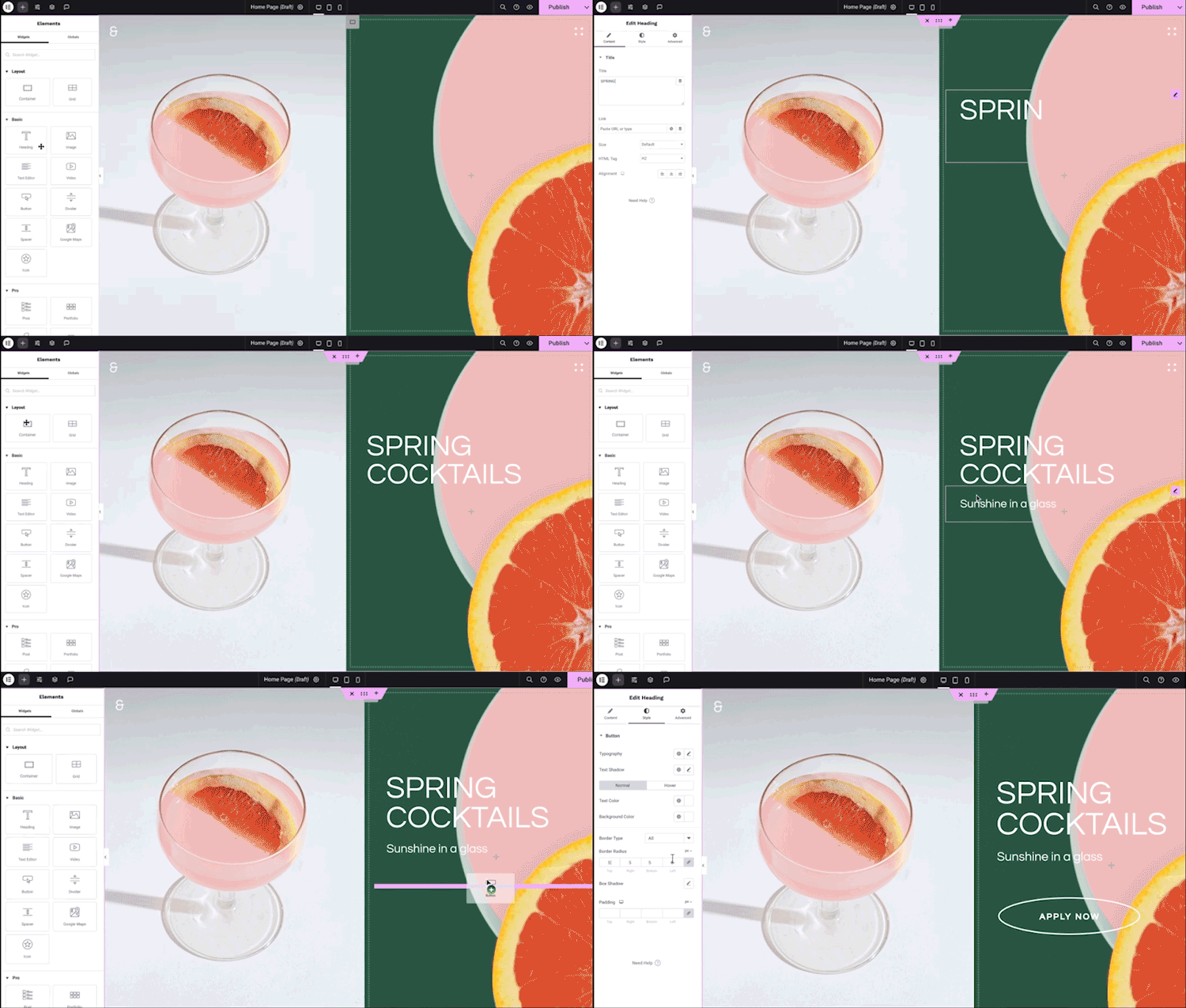
- 左のパネルからウィジェットをコンテンツエリアにドラッグ & ドロップしたり、ページ構造を構成する新しいセクションやカラムを追加したりできるようになりました。
ドキュメントやチュートリアルについては、ナレッジベースをご覧ください。
FAQ
-
Elementor のインストール方法を教えてください。
-
Elementor の無料版をインストールするには、以下の手順に従ってください:
WordPress ダッシュボードから -> プラグインへ移動 ->「新規追加」をクリック -> 検索フィールドに「Elementor」と入力し、Elementor website builder を選択します。
「インストール」をクリック -> インストール後、「有効化」をクリックします。 -
Elementor はすべてのテーマで動作しますか ?
-
Elementor は、WordPress の Codex で定められたコーディング基準に準拠しているテーマであれば、どのテーマでも動作します。Elementor エディタを最大限に活用し、最適な操作環境を実現するためには、軽量なブランクキャンバスである Elementor の Hello Theme のご利用をおすすめします。
-
Elementor は Gutenberg と互換性がありますか ?
-
Elementor and Gutenberg work together. You can easily decide which editor to use at every point while editing your site.
-
オンラインストアは作れますか ?
-
Elementor Pro WooCommerce Builder を使用すると、ストアのすべてのページをカスタマイズして、販売を促進する顧客体験を作成できます。
-
他の WordPress プラグインと一緒に動作しますか ?
-
ほぼすべてのプラグインで動作します。互換性の問題が発生した場合は、Elementor と競合するプラグインに報告してください。
-
コーディングの知識は必要ですか ?
-
いいえ。Elementor は、コードを使用せずにプロフェッショナルなサイトを構築するために必要なすべてのウィジェットと機能を提供します。
-
デザインの知識は必要ですか ?
-
いいえ、あらゆる業界に適合し、独自のプロフェッショナルなサイトを作成するために必要なものがすべて揃った、プロがデザインしたキットとテンプレートから選択できます。
-
Elementor はサイトを遅くしますか ?
-
Elementor はスピードとパフォーマンスを優先しているため、エディターの新しいバージョンごとに、より良い、より高速なパフォーマンスを楽しむことができます。旧バージョンで同じページレイアウトをテストすると、バージョン3.1の Google PageSpeed Insight のスコア82から、バージョン3.5のスコア95 i まで、大幅なパフォーマンスの向上が確認できます。
-
私のサイトで Elementor を使っても安全ですか ?
-
サイトのセキュリティを重視しており、その安全性を維持するために積極的な対策を講じています。Elementor は ISO 27001 認証を取得しており、専任のセキュリティ専門家チームが24時間体制で業界のベストプラクティスを実践し、最高水準のセキュリティとコンプライアンスを確保しています。
また、コミュニティの力を活用して24時間365日体制でクラウドソーシングによる脆弱性検出を行う、管理型のセキュリティバグ報奨金プログラムも用意されています。
-
テンプレートを別途購入することはできますか ?
-
Yes. you can use any template that supports Elementor
-
Elementor は投稿とカスタム投稿に互換性はありますか ?
-
はい。設定ページで、どの投稿タイプで Elementor を有効化するかを設定できます。
-
Elementor の無料エディタープラグインと Elementor Pro の違いは何ですか ?
-
Elementor’s Free version gives you our drag & drop live editor, basic widgets and templates. Elementor Pro (Essential, Advanced, Expert, Studio, and Agency) adds professional tools that speed up your workflow, help you build more advanced content, and convert visitors.
-
コントリビューターになるには ?
-
貢献にご興味をお持ちの方は、Elementor GitHub リポジトリにアクセスし、協力可能な箇所をご確認ください。また、translate.wordpress.org を通じて新しい言語を追加することも可能です。プラグインの翻訳、ローカライズ方法を解説した簡単なガイドもご用意しています。
評価


貢献者と開発者

変更履歴
4.3.4 – 2026-10-05
- Tweak: Improved MCP connector setup instructions across macOS, Windows, and Linux
- Fix: Dropdown menus do not open on the frontend due to missing feature dependencies (props @faisalahammad)>
- Fix: Widget styles can be missing when rendered inside saved Templates
- Fix: Element settings may lost when updating pages through MCP
- Fix: MCP connection setup does not show an error when WordPress Application Passwords are unavailable
- Fix: MCP resources fail to load with older adapter versions
- Fix: Elementor update can fail during version upgrade
- Fix: Editor can freeze when editing settings or styles in large nested elements
4.3.3 – 2026-09-30
- Tweak: Improved access control when MCP is disabled
- Fix: MCP build errors do not clearly identify invalid or unclosed elements
- Fix: Certain MCP style values are not applied correctly in Atomic elements
4.3.2 – 2026-09-24
- Tweak: Improved the Editor onboarding flow for a smoother getting-started experience.
- Fix: HTML Tags do not work correctly with Background Video (#37393)
- Fix: Improved compatibility with sites protected by HTTP Basic Authentication (#37421)
- Fix: Page styles may not load correctly after being regenerated
- Fix: Improved code security enforcement in data handling
- Fix: Improved update stability between Elementor Core and Pro
4.3.1 – 2026-09-23
- Fix: Top bar translations are not displayed correctly on Elementor admin pages
4.3.0 – 2026-09-22
- New: Introducing Elementor MCP – enabling compatible AI tools to build pages, edit elements, and work with your design system
- New: Introducing a dedicated Elementor MCP page for connecting external AI tools to your site
- New: Introducing Background Video for placing locally uploaded videos behind section content, with built-in play and pause controls
- New: Introducing Accordion for building expandable and collapsible content sections with nested content
- New: Introducing Default Styles for setting and managing styles for supported HTML tags globally
- Tweak: Added ‘nav’ and ‘main’ HTML tag options to Flexbox and Div Block elements (#33682)
- Tweak: Removed the WordPress section from the widget panel
- Tweak: Added text decoration controls to the inline text editing toolbar in Heading and Paragraph elements
- Tweak: Improved element duplication to prevent duplicate IDs
- Tweak: Updated minimum supported versions for Chrome, Firefox, and Safari
- Tweak: Updated Grid layout presets to use Atomic Grid
- Tweak: Improved nested elements by auto-wrapping them in a Flexbox Container
- Tweak: Improved the Elementor switch mode button text in the WordPress editor
- Tweak: Improved Atomic element references when importing kits
- Fix: Components may not load correctly on pages with multiple or nested Components (#36647)
- Fix: Divider is not visible inside row containers
- Fix: Select field names and values are incorrect in submitted forms in Form element
- Fix: Duplicate IDs may be generated in Tabs element
- Fix: Draft classes are deleted when importing a Kit
- Fix: Incorrect ARIA semantics in Floating Button
- Fix: Converting a local class to a Global Class may not work
- Fix: Parent Container handles are missing in the Editor for Single template documents
- Fix: “Edit with Elementor” button incorrectly appears on the Shop archive page